$100 Mastercard Gift Cards | Accepted Worldwide – The Flexible Gift
How To Redeem $100 Mastercard Gift Cards?
1. Activation and Registration (If Required)
First, you need to ensure the card is active and ready for use.
| Card Type | Activation Steps |
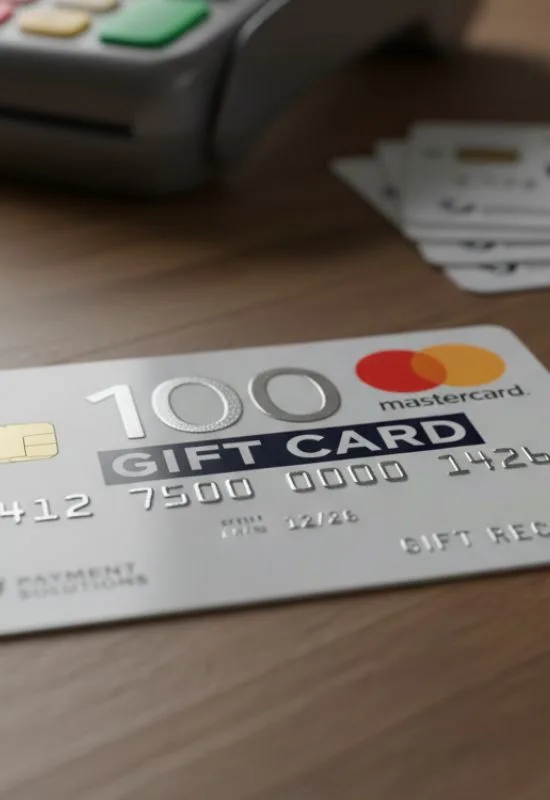
| Physical Card | Required: Look for instructions (phone number or website) on the back of the card or the packaging. You’ll need the 16-digit card number and the CVV (3-digit code on the back). Activation is usually instant. |
| Digital/Virtual Card | Not Required: Virtual cards are usually active upon receipt. They are delivered via email with the card number, expiration date, and CVV code ready to use. |
| Online Registration (Highly Recommended) | Registering your card (name and address) on the card issuer’s website is not mandatory, but essential for online purchases. Many online stores check that the billing address matches the card’s registration address for security reasons. |
2. Check Your Balance
While the card says $100, checking the balance is always a good idea to confirm its value and avoid transaction declines.
Look on the Back: Find the toll-free phone number or website address printed on the back of your card.
Use the Website: Go to the official website (e.g.,
mygiftcardsupply.comorprepaidgiftbalance.com) and enter the card details to view your $100 balance and transaction history.
3. How to Spend the $100
You can use the card for any purchase up to the $100 limit, anywhere in the world where Debit Mastercard is accepted.
Online Purchases:
Checkout: Proceed to the payment screen on your favorite online store (e.g., Amazon, Walmart).
Select Payment: Choose “Credit” or “Debit Card” (do NOT select “Gift Card”).
Enter Details: Enter the 16-digit card number, the “Valid Thru” expiration date, and the 3-digit CVV code on the back.
Billing Address: This is where registration matters. Ensure you enter the exact name and address you registered with the card issuer.
Complete Purchase: If the total is $100 or less, the purchase will go through.
In-Store Purchases:
Swipe/Insert: Hand the card to the cashier or swipe/tap it yourself at the terminal.
Select Payment: Select “Credit” or “Debit” on the keypad. (If Debit, you may be prompted for a PIN. If you did not set one, press Cancel and try again as “Credit,” or check the packaging for a default PIN).
Split Payment (If Purchase > $100): If your purchase is more than $100, tell the cashier the exact amount you want to take off the gift card (i.e., “$100”) before they run the card. You can then pay the remainder with another method.
Important Things to Note:
Tipping/Holds: When using the card at places that require pre-authorization (like gas stations at the pump, restaurants, or hotels), the merchant may temporarily put a hold on an amount higher than your purchase. To avoid this, always prepay the cashier inside for a set amount of gas or run the card for the exact amount of your bill plus tip.
No ATM/Cash Access: Most Mastercard Gift Cards are not eligible for ATM withdrawals or getting cash back.