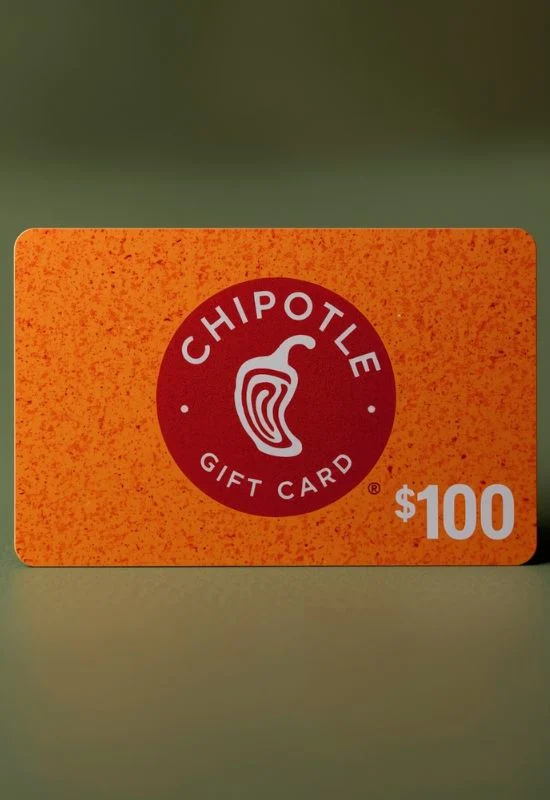
$100 Chipotle Gift Cards | Burritos, Bowls, and Tacos for Any Craving
How To Use $100 Chipotle Gift Cards?
Option 1: Using the Card In-Restaurant (In-Store)
This is the easiest method for immediate use:
Order Your Food: Go through the line and tell the cashier you are ready to pay.
Present the Card:
Physical Card: Simply hand the physical card to the cashier. They will swipe or scan it.
eGift Card: Present the barcode (or QR code) on your phone screen, or give the cashier the 16-digit Card Number and the PIN to manually enter.
Complete Transaction: The $100 balance will be applied to your purchase. The remaining balance stays on the card for your next visit.
Option 2: Using the Card Online or in the App
You can save the card to your Chipotle account for quicker use on future online orders or app purchases.
A. Redeem Online at Chipotle.com
Log In: Go to the Chipotle website and log in to your account (or create one).
Go to Payment: Navigate to your “Profile” or “Payment Methods.”
Add Gift Card: Look for the option to “Redeem prepaid card” or “Add Gift Card.”
Enter Details: Enter the Card Number and the PIN (or Secret Code).
Save/Redeem: Click “Redeem” to save the $100 card to your account.
B. Use During Online Checkout
Place Your Order: Build your burrito/bowl on the website or app and proceed to the checkout page.
Payment Method: In the “Payment” section, select your saved Gift Card as the payment method.
Apply Balance: The app/website will automatically use the $100 balance first. If your order is more than $100, you will be prompted to pay the remaining difference with a credit card or other payment method.
Important Tips:
No Expiration: Chipotle Gift Cards generally do not expire.
Balance Check: You can check the remaining balance on your card at any US Chipotle restaurant, or online through the Gift Card section on the Chipotle website.
Troubleshooting: If a cashier has trouble scanning a digital card barcode, they may need to hit an extra button on their register before scanning. If they have issues, kindly ask them to try manually entering the Card Number and PIN.